How to Recycle Your Old Computer in Australia: The Ultimate Step-by-Step Guide
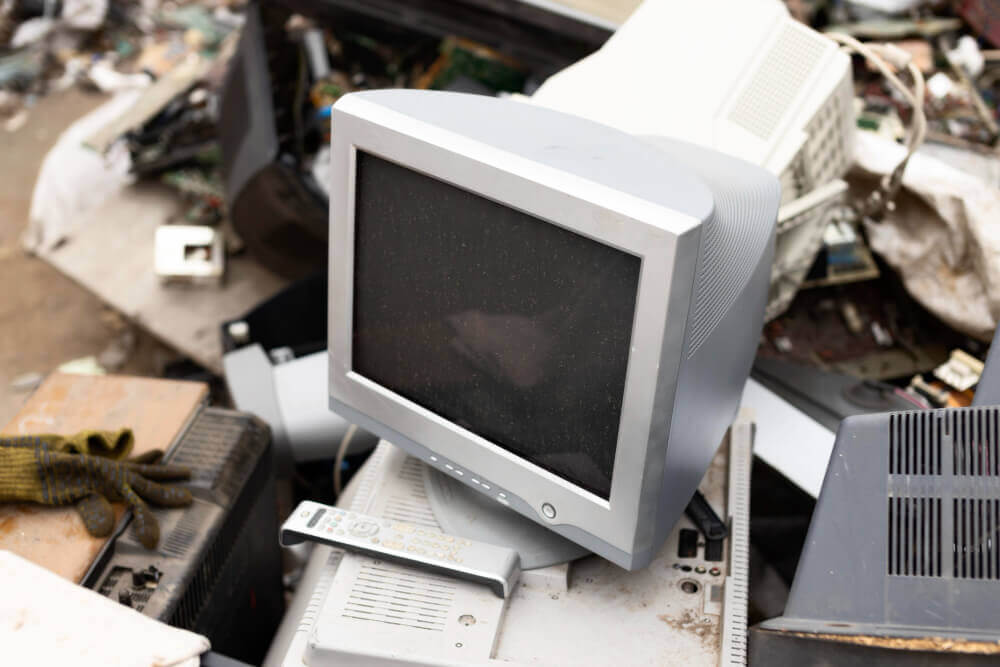
We’ve all got that designated “tech drawer” or cupboard corner housing a dusty desktop, an ancient laptop, or a tangle of mystery power cords. While it’s easy to leave old electronics sitting out of sight, letting them gather dust holds back valuable materials that could be creating a cleaner, more sustainable future.
The great news? Giving your old computer a second life is easier than ever. Thanks to nationwide initiatives, recycling your e-waste across Australia is free, convenient, and remarkably impactful.
According to Clean Up Australia, Australians generate over 588,000 tonnes of e-waste every year, making electronic waste the fastest-growing waste stream in the country. Even more striking: Australians produce an average of 20kg of e-waste per person annually, nearly three times the global average.
“Consumers have a huge opportunity to keep valuable resources in circulation,” says Spyro Kalos, Head of MobileMuster. “Through modern recycling processes, over 90% to 95% of the materials found in computers and electronics can be recovered and transformed into new products, directly reducing the need to mine for virgin materials.”
Here is everything you need to know about preparing, wiping, and recycling your old computer in Australia.
Why Should You Recycle Your Old Computer Instead of Throwing It in the Rubbish?
You must recycle your old computer through dedicated e-waste channels because electronics contain valuable recoverable materials like gold and copper, as well as hazardous substances that contaminate soil and groundwater when placed in regular landfill bins.
Throwing an old laptop or desktop monitor into your red landfill bin isn’t just a missed opportunity—in many Australian states (including Victoria and South Australia), it is illegal. E-waste accounts for 70% of the toxic heavy metals—such as lead, cadmium, and mercury—found in Australian landfills. When left in landfill, these substances can leach into local ecosystems.
Understanding Australia’s E-Waste Laws can help you stay compliant while ensuring your old technology is diverted away from local landfills and handled responsibly.
Conversely, when you recycle your tech, you are participating in a circular economy. A standard computer hardware setup contains high-grade aluminium, steel, copper wire, and precious gold on circuit boards. Extracting these materials from recycled e-waste requires up to 80% less energy than raw mining.
Hot Tip: Don’t forget your cables and accessories! Power cords, USB cables, keyboards, and mice are all accepted under official computer recycling programmes.
What Is the National Television and Computer Recycling Scheme (NTCRS)?
The National Television and Computer Recycling Scheme (NTCRS) is an Australian Government initiative established to provide households and small businesses with free access to industry-funded recycling drop-off points across the country.
Administered under the Department of Climate Change, Energy, the Environment and Water (DCCEEW), the NTCRS ensures that electronics manufacturers take financial responsibility for the lifecycles of the products they sell. Since its launch, the scheme has diverted hundreds of thousands of tonnes of e-waste from Australian landfills.
Under the NTCRS, tech companies fund co-regulatory partners—such as TechCollect, E-Cycle Solutions, and Activ Group—to operate permanent drop-off collection sites at local waste transfer stations and major retail outlets nationwide.
How Do You Permanently Erase Your Personal Data Before Recycling a Computer?
To permanently erase your personal data before recycling a computer, you must back up your files, sign out of all cloud accounts, and perform a full factory reset with drive-wiping enabled to ensure your private information cannot be recovered.
Before handing over your old PC or MacBook, protecting your digital identity is paramount. Simply moving files to the “Recycle Bin” or “Trash” does not delete the data from your hard drive; it merely hides it. Leaving unencrypted corporate or personal files on recycled drives exposes you to severe data breaches; be sure to read up on the Legal Risks of Not Properly Destroying Data on Old Devices to protect yourself or your business from costly compliance issues.
Here is a quick checklist to secure your device before drop-off:
-
Back Up Your Files: Transfer photos, documents, and bookmarks to an external hard drive or cloud service (e.g., Google Drive, iCloud, OneDrive).
-
Sign Out of Accounts: Deauthorise digital rights management (DRM) software like iTunes and log out of web browsers, password managers, and cloud accounts.
-
Perform a Secure Drive Wipe:
-
For Windows 10/11: Go to Settings > System > Recovery > Reset this PC. Select “Remove everything” and choose “Clean the drive” (this overwrites sector data so it cannot be un-erased).
-
For macOS: Restart your Mac, hold Command + R to enter Recovery Mode, use Disk Utility to erase your startup disk, and reinstall a clean macOS copy.
-
For Legacy or Dead Computers: If your computer won’t turn on, remove the hard drive manually and physically destroy it, or ask your recycling provider if they offer certified physical shredding.
-
For a detailed step-by-step walkthrough on preparing individual operating systems for disposal, check out our full guide on How to Properly Wipe a Computer Before Recycling.
Hot Tip: If you’re dropping off a laptop or mobile device at retail partners like Officeworks or TechCollect partners, double-check that you’ve removed any micro-SD cards or USB dongles left in side ports!
Where Can You Drop Off an Old Computer for Free Recycling in Australia?
You can drop off an old computer for free at retail collection points such as Officeworks, participating major electronics stores, or designated local council transfer stations operating under the NTCRS.
Finding a convenient drop-off point near you takes just a few clicks:
-
Retail Drop-Offs (Officeworks Bring It Back): Most Officeworks stores across Australia feature dedicated e-waste recycling units right near the entrance. You can drop off desktop towers, laptops, monitors, printers, and ink cartridges without booking.
-
Planet Ark’s RecyclingNearYou: Visit recyclingnearyou.com.au and enter your postcode to find local drop-off points, operating hours, and accepted item lists.
-
Local Council Waste Recovery Facilities: Most municipal transfer stations feature dedicated, undercover e-waste drop-off bays funded through NTCRS co-regulatory partners.
Can You Trade In or Donate Your Old Computer Instead of Recycling It?
Yes, you can trade in or donate your old computer if it is functional and under five to seven years old, allowing it to be refurbished for extended use before entering the recycling stream.
If your old laptop or PC is still running, recycling shouldn’t always be step one. Reusing functioning tech keeps products at their highest utility value for longer, which is the gold standard of the circular economy.
-
Retail Trade-In Programmes: Check if your device qualifies for trade-in programmes at stores like Officeworks or Apple. If eligible, you could receive an instant gift card or credit towards your next device upgrade.
-
Charity & Community Donations: Non-profit organisations like WorkVentures or Computerbank accept working computers, clean them, and distribute them to low-income families, students, and community centres across Australia.
What Actually Happens to Your Computer After It Is Recycled?
After collection, your old computer is transported to a specialised Australian processing facility where it is mechanically disassembled, shredded, and separated into raw material streams for manufacturing.
The recycling journey turns yesterday’s obsolete computer into tomorrow’s essential products through a sophisticated process:
-
Manual Sorting & Hazard Removal: Specialised technicians manually remove hazardous components, such as lithium-ion batteries and mercury backlights.
-
Shredding: The remaining chassis, circuit boards, and plastic casings are fed into industrial shredders that break the device down into small pieces.
-
Magnetic & Optical Separation: Powerful magnets separate ferrous metals (steel and iron), while eddy-current separators extract non-ferrous metals like aluminium and copper.
-
Smelting & Refining: Precious metals like gold, silver, and copper on printed circuit boards are extracted and refined.
Plastics are processed into pellets for manufacturing outdoor furniture and construction materials, while recovered copper goes directly into new wiring and electronics.
Start Something Sustainable Today
The Australian e-waste recycling market is growing rapidly, with market projections reaching over USD $1.8 billion by 2034, according to research firm IMARC Group. This growth reflects a significant shift towards circular waste practices nationwide.
By taking a few minutes to wipe your data and hand over your old desktop, laptop, or monitor to a certified recycler, you play a direct role in keeping hazardous materials out of Australian soil while preserving precious resources for generations to come.
Cyber Recycling provides comprehensive computer recycling services backed by 12+ years of industry experience and authoritative certifications, including AS 5377, ISO 14001, and ISO 45001. By partnering with a fully accredited specialist, you can ensure your old desktops, laptops, and IT equipment are processed safely and in full compliance with national standards.
 Copy Link
Other Blog

Data Protection Risks and How to Mitigate…
09-21-2026
How much data does your business have sitting on its systems right now? Think about customer details. Employee…
Secure Data Destruction: A Complete Guide for…
09-21-2026
Every business laptop, server, USB drive and phone that has ever held customer records or financial data becomes…
What Records Should Businesses Keep When Disposing…
08-20-2026
Australian businesses disposing of IT equipment must retain financial tax invoices, asset depreciation schedules, serialised Certificates of Data…