Printer Recycling Guide: How to Recycle Printers
Executive Summary & Key Takeaways
- Strict Landfill Ban & Regulations: Under state legislation (such as Western Australia’s statewide e-waste landfill ban), dumping desktop printers, commercial MFPs, or cartridges in kerbside bins or general municipal landfill is illegal for commercial entities and strictly prohibited by local councils.
- 100% Free Household & Small Business Disposal: Through the government-backed National Television and Computer Recycling Scheme (NTCRS), households and micro-businesses can drop off old printers for free at participating retailers (e.g., Officeworks) and local waste transfer stations.
- Data Security & Consumables Preparation: Modern multi-function printers contain non-volatile RAM (NVRAM) and internal storage that cache sensitive network logs and scanned documents. Always perform a full system reset, remove cables, and divert ink/toner cartridges to dedicated programs like Cartridges 4 Planet Ark.
Why Printers Should Never Go into General Landfill
Printers are among the most material-dense electronics found in homes and offices. A standard desktop unit or enterprise Multi-Function Printer (MFP) consists of an intricate combination of valuable secondary resources and hazardous materials:
- Ferrous and Non-Ferrous Metals: Steel structural frames, copper wiring, and aluminium heat sinks that can be melted down and continuously reused.
- Engineering Plastics: ABS and polycarbonate casings that can be shredded, washed, and pelletized into raw manufacturing feedstocks.
- Circuit Boards (PCBs): Gold, silver, palladium, and copper trace elements that require specialised hydrological or pyrometallurgical refining.
- Toxic Residuals: Residual liquid ink, toner powders (fine carbon black and plastic polymers), and circuit board flame retardants that pose serious bio-environmental hazards if allowed to decompose in soil or groundwater.
Recycling your printer diverts these materials back into the circular economy, preventing virgin mining and reducing carbon emissions associated with electronics manufacturing.
Need to dispose of old monitors? Check out our computer monitor recycling services.
Step-by-Step: How to Prepare Your Printer for Recycling
1. Wipe Internal Memory and Network Data
Many users are unaware that modern wireless and multi-function printers store sensitive personal or commercial data:
- Turn on the printer and navigate to Settings > General Settings > Device Reset.
- Select Restore Factory Defaults or Clear All Settings / Network Logs to erase stored Wi-Fi credentials, IP configurations, and print history.
- For commercial-grade office printers with internal hard drives, perform a cryptographic wipe through the administrator control panel or physically remove the hard drive prior to collection.
2. Extract Ink and Toner Cartridges
Do not leave liquid ink tanks or toner cartridges inside the printer chassis during transport.
- Toner Units & Liquid Ink: Remove all cartridges carefully to avoid powder spills.
- Consumable Disposal: Place them into a dedicated Cartridges 4 Planet Ark drop-off box located at post offices, Officeworks, and local council libraries. These cartridges are processed separately to create asphalt additives (e.g., TonerPave) and new pen inks.
3. Remove Paper and External Cables
- Remove all blank paper sheets from input and output trays.
- Disconnect power cords, USB cables, and Ethernet cables. Copper cables are high-value e-waste and should be bundled together for drop-off alongside the main unit.
Where to Recycle Printers: Perth, Darwin & Nationwide Pathways
1. Retail Drop-Off Points (Nationwide)
- Officeworks (“Bring It Back” Program): Accepts up to 5 desktop printers, multi-function machines, computers, and monitors per visit free of charge for households and small businesses under the NTCRS framework.
- Participating Post Offices & Retail Partners: Selected locations across regional and metropolitan Australia feature drop-boxes for small electrical items and printer consumables.
2. Perth & Western Australia (WA Local Pathways)
Western Australia implemented a strict statewide ban on e-waste disposal to landfill under the Waste Avoidance and Resource Recovery Regulations. This makes it an offence for commercial entities to throw printers into general rubbish bins:
- West Metro Recycling Centre (WMRC – Shenton Park): Serves residents and ratepayers across Perth’s western suburbs, offering dedicated free e-waste bays for household appliances, desktop printers, and peripherals.
- City of Wanneroo Drop-Off Hubs: Offers specialised community drop-off days and transfer site collections for electronics, cardboard, and whitegoods.
- Mindarie Regional Council & Resource Recovery Parks: Accepts e-waste from residents across northern Perth metropolitan areas.
3. Darwin & Northern Territory (NT Local Pathways)
- Shoal Bay Waste Management Facility (City of Darwin): Located off Vanderlin Drive in Karama, the Shoal Bay Transfer Station provides dedicated, signed e-waste drop-off bays for residents. Small electronics, desktop printers, laptops, and cables are accepted free of charge for residential quantities. Working units may also be evaluated for the Reviva Reuse Shop.
- Northern Territory Recycling Services (NTRS): Provides industrial-scale e-waste sorting and bulk aggregation for commercial clients across Darwin and Palmerston.
4. Commercial E-Waste Recycling (Cyber Recycling Services)
For enterprise fleets, educational institutions, government departments, and healthcare facilities managing large volumes of retired hardware:
- Tailored Fleet Collections: On-site loading, palletising, and transport of heavy floor-standing enterprise copiers and printers.
- Regulatory Compliance: Full adherence to state environmental protection laws, providing chain-of-custody documentation and Certificates of E-Waste Recycling / Data Destruction required for internal corporate ESG reporting.
Decision Matrix: Comparing Printer Disposal Options in Australia
| Disposal Pathway | Eligible Volume | Cost (AUD) | Data Security Level | Recommended User |
|---|---|---|---|---|
| Officeworks “Bring It Back” | Up to 5 items per day | $0 (Free) | User Responsibility | Households & Freelancers |
| Municipal Transfer Station (WMRC, Shoal Bay) | Residential quantities | $0 (With proof of residency) | User Responsibility | Ratepayers & Residents |
| Cartridges 4 Planet Ark | Ink & Toner Cartridges Only | $0 (Free) | N/A | Everyone (Consumables only) |
| Commercial E-Waste Pick-up (Cyber Recycling) | Bulk / Multi-device fleets | Custom Quote | Enterprise High (Audit trail & certification) | Corporations, Schools, Gov |
What Happens During the Industrial Recycling Process?
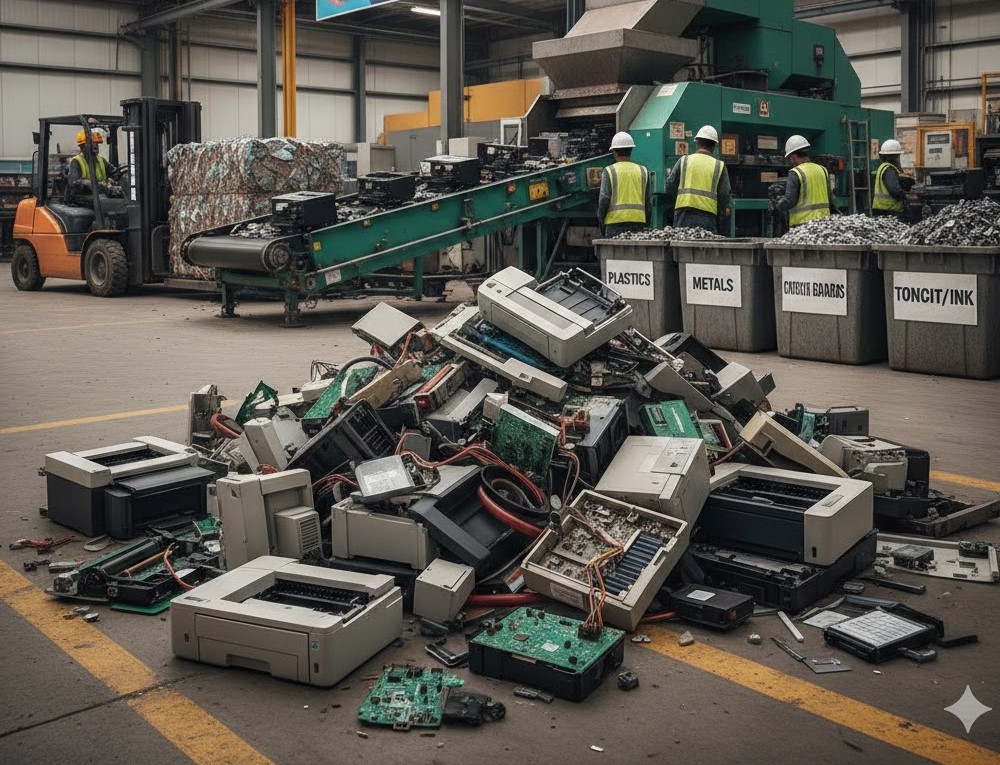
When an old printer is collected by a certified e-waste processor, it undergoes a multi-stage circular recovery workflow:
- Manual De-manufacturing: Certified technicians strip remaining toner cartridges, lithium memory batteries, glass scanner beds, and heavy transformers.
- Mechanical Shredding: The remaining housing and internal components are fed into high-torque industrial hammer mills that reduce the equipment into uniform 20mm fragments.
- Advanced Material Separation:
- Magnetic Separators: Extract magnetic steel and iron alloys.
- Eddy Current Separators: Separate non-ferrous metals like aluminium and copper.
- Optical & Density Sorting: Divides engineering plastics into distinct polymer streams (ABS, Polystyrene).
- Refining & Re-manufacture: Separated copper and precious metals go to local or international smelters to produce new industrial wiring, while clean plastic pellets are reused in non-food-grade plastic manufacturing.
Frequently Asked Questions
Can I put an old printer in my council kerbside wheelie bin?
No. Printers should never be placed in household general waste (red/dark green lid) or co-mingled recycling (yellow lid) bins. In co-mingled recycling bins, the heavy metal and electronic components ruin mechanical sorting machinery and contaminate clean paper/plastic streams. In general waste bins, they breach local landfill rules—such as Western Australia’s statewide e-waste landfill ban.
Is printer recycling completely free in Australia?
Yes, for households and small businesses disposing of reasonable quantities (1–5 devices). Drop-off services funded by the National Television and Computer Recycling Scheme (NTCRS) at Officeworks stores and local council waste transfer stations are free. Commercial operations requiring bulk site clearances, heavy lifting equipment, or serialised asset reporting incur fees based on logistics and volume.
How do I dispose of commercial floor-standing multi-function printers (MFPs)?
Large commercial copiers and office MFPs cannot be dropped off at retail stores like Officeworks. They require specialized commercial transport due to their weight, dimensions, and potential fluid/toner leaks. Contact a licensed e-waste partner like Cyber Recycling to arrange an on-site pickup with heavy hydraulic lift gates and chain-of-custody documentation.
What should I do with empty printer ink and toner cartridges?
Do not leave cartridges inside your printer when recycling the machine body. Remove all liquid ink tanks and toner units and drop them into designated Cartridges 4 Planet Ark bins, which are installed at most post offices, council libraries, and major office supply stores across Australia.
 Copy Link
Other Blog

Data Protection Risks and How to Mitigate…
09-21-2026
How much data does your business have sitting on its systems right now? Think about customer details. Employee…

Secure Data Destruction: A Complete Guide for…
09-21-2026
Every business laptop, server, USB drive and phone that has ever held customer records or financial data becomes…
What Records Should Businesses Keep When Disposing…
08-20-2026
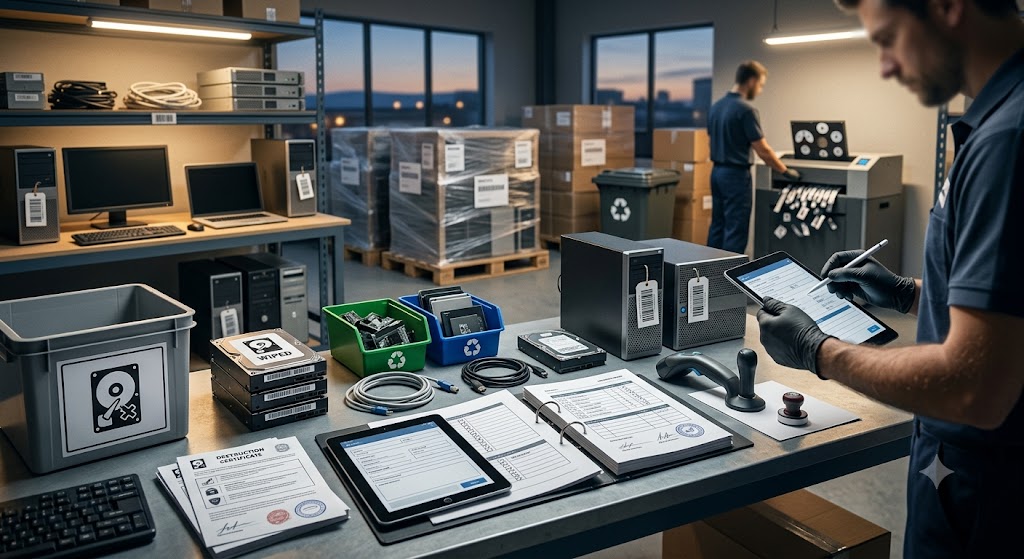
Australian businesses disposing of IT equipment must retain financial tax invoices, asset depreciation schedules, serialised Certificates of Data…